


New in your garden: how much to sow, what to look after and when to plant in the greenhouse
You know the moment: the seed packets are spread out on the table, you have plenty of ideas… and you wonder how many plants you really need to get ready. Then the season gets going: the tomatoes need their supports, one batch of lettuces follows another, and the strawberries have been growing in the same spot since last year.
We have updated the Permapotes calendar to take more of this into account. You can now estimate quantities to suit your garden and household, separate greenhouse crops from those grown outdoors, and find care reminders for your plants. Here is how to use these features at your own pace.
The screenshots show the French interface. The names of the controls may differ in your language.
One place to set up or adjust your garden
The settings are brought together in one guided process: Plants, Climate, Garden, Dates and care, Planting and greenhouse, then Finish setup. You can start with the essentials and switch to advanced mode when you want to specify a quantity or review the dates.
From My gardens, the Configure button opens the settings for the garden you choose. If you are new to Permapotes, you can also start from the calendar and create a trial calendar.
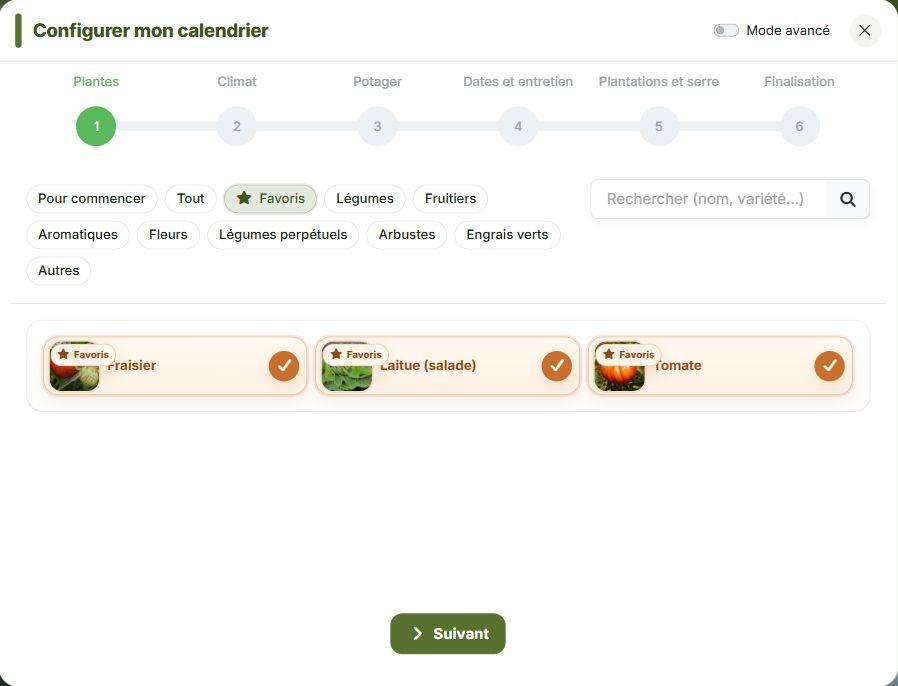
First choose the plants you grow or would like to add. The “Getting started” selection gives you a few ideas when your garden is empty; search and categories help you narrow things down. In the example below, we have chosen strawberries, lettuces and tomatoes. The Favourites filter makes it easy to find that selection again.
Dates that take your climate into account more closely
The Climate step is now part of the process even when you return to change your settings. It is a chance to check that the calendar still matches the place where you garden.
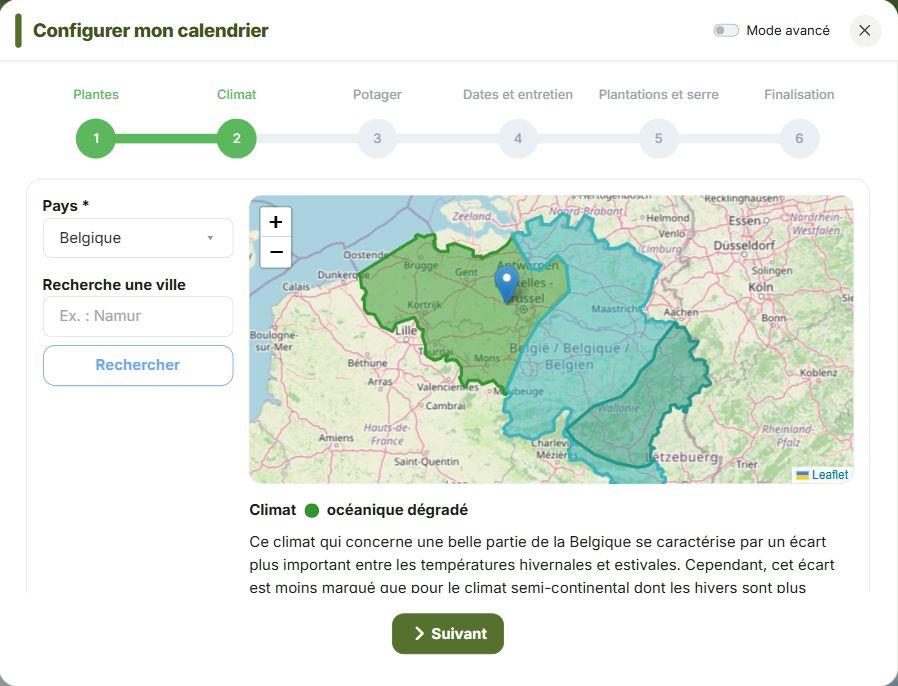
Choose your country, then your area on the map. You can also search for a town to help locate yourself. Before continuing, read the name and description of the selected climate: two gardens in the same country can have quite different conditions.
The calculation of growing periods has also been reviewed, particularly for Mediterranean climates, to better account for heat and cold constraints where crop information is available. An unheated greenhouse does not make every period suitable: it does not protect crops from excessive heat.
These dates are still gardening guidelines. Before sowing or planting, keep an eye on the weather, the soil and your young plants. The dates in this article are examples to show how the controls work; they are not a calendar to copy wherever you live.
Just subscribed to Super’pote?
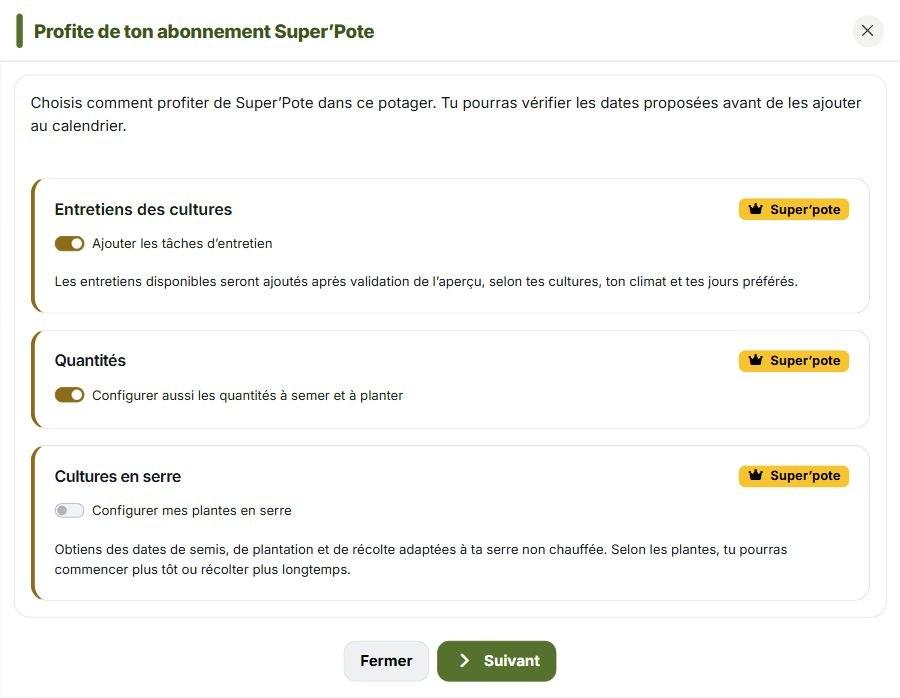
A notice on the home page or in the calendar offers Choose my options. Choose care tasks, sowing or planting quantities and greenhouse crops there. Then select Next to refine the settings in the wizard and review the dates before adding them to the calendar.
How much should you sow for the space you have?
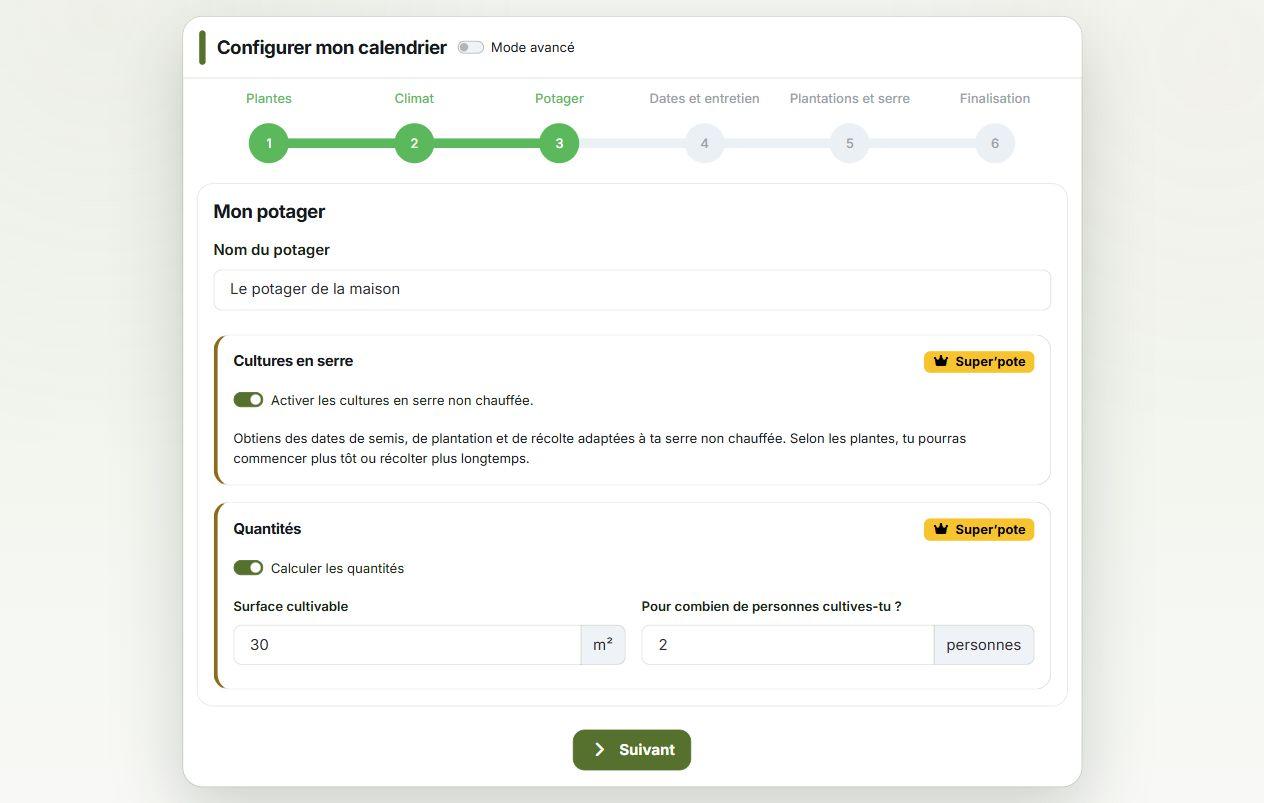
With Super’pote, the Calculate quantities option helps you prepare your sowing and planting. In the Garden step, enter your growing area and the number of people you garden for. Our example uses 30 m² for two people.
Enter the space actually available for crops rather than the area of your whole property. The calendar uses this information, known plant spacing and your preferences to suggest quantities. If there is not enough room, it warns you and adjusts the suggestions where possible.
The Quantity to plan control offers five levels: Minimal, Moderate, Standard, Generous and Very generous. Use − and + to adapt each crop to your household’s needs. These choices adjust quantities and, for the relevant plants, the timing of new sowings.
Advanced mode also lets you allow for spare seedlings to cover some losses. With a 20% reserve, for example, a target of ten plants means preparing twelve seeds or young plants, depending on the crop.
This is an estimate, not a promise of self-sufficiency or a guaranteed harvest. A crop that overwinters also counts towards the area in its planned harvest year: garlic planted in November 2026 and harvested in 2027 uses space in both years. The calculation does not yet reuse space freed after harvest. This estimate remains separate from the garden plan: no bed is assigned to it automatically.
Care tasks alongside sowing and harvesting
A useful calendar does not stop on planting day. There are jobs to remember afterwards, too: putting in a support, checking mulch or tending a plant at the right stage.
In Dates and care, first choose the days you prefer to garden. Super’pote members can then enable Add plant care tasks to get the available reminders for their crops, together with advice.
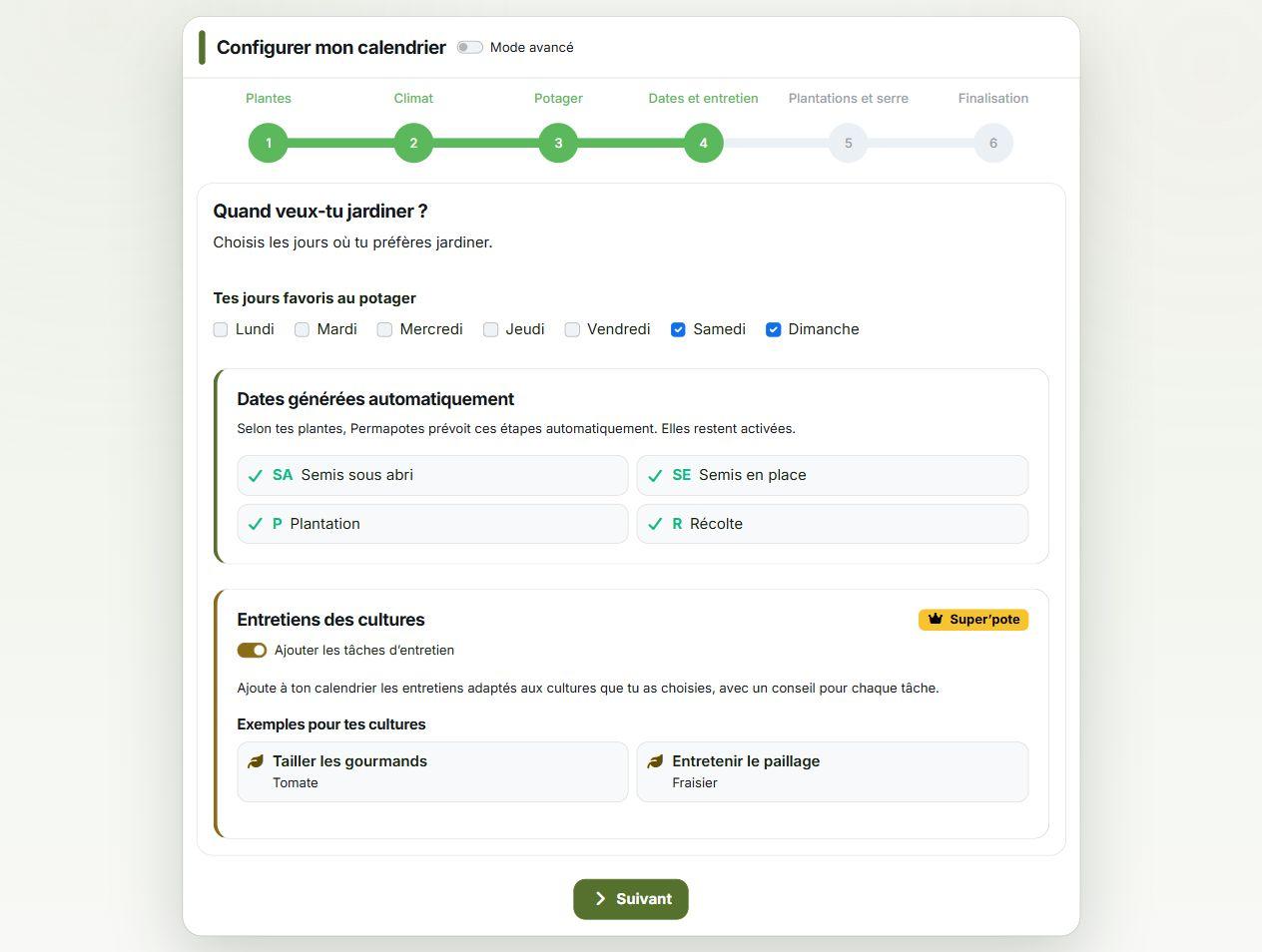
The examples depend on the plants you have chosen. The available care tasks have been expanded, including jobs such as removing tomato side shoots and managing basil flowers. Not every plant has the same reminders: the calendar uses the care information available for your selection.
You can still add a free-form care task to note a job specific to your garden. Guided care reminders and their tracking are included in Super’pote.
A greenhouse, an outdoor patch and established strawberries
Do you grow tomatoes in a greenhouse, with a few plants outside as well? The calendar can now distinguish the two situations for the same crop.
With Super’pote, enable unheated greenhouse growing in the Garden step. Then select the relevant crops in Planting and greenhouse. Tick Also outdoors if you want to plan for both locations. This option is offered for catalogue plants selected as commonly grown in a home greenhouse.
In the same step, you can mark perennial crops that are already there. If your strawberries are established, select them under Crops already in place. This avoids creating a new planting task as though you were starting from scratch.
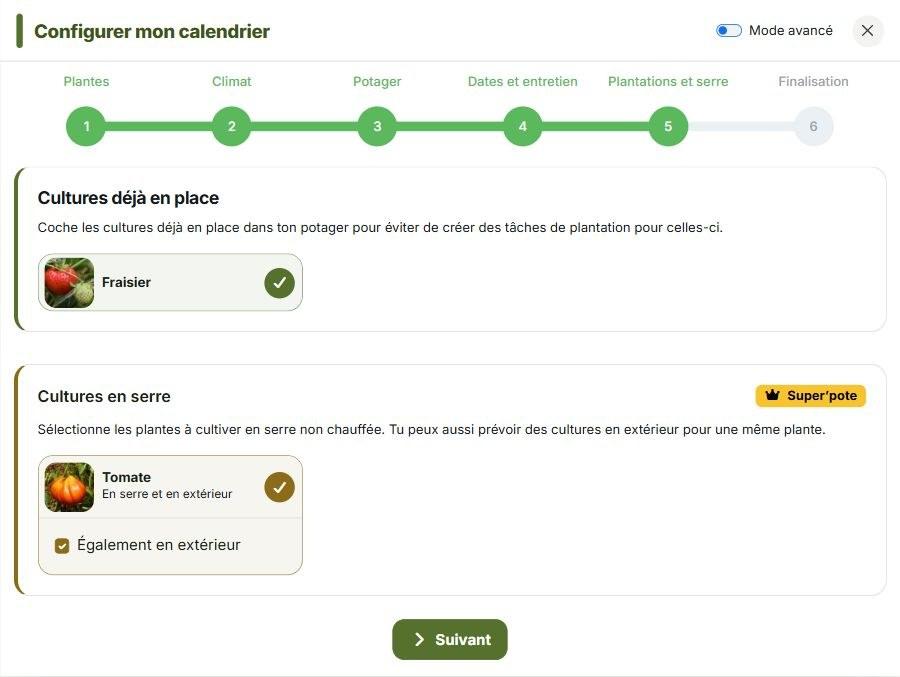
Greenhouse dates are adapted according to the plants and the available rules. An earlier start or a longer harvest may be possible, but an unheated greenhouse is not a frost-free shelter.
A clear preview before adding tasks to your calendar
The final step brings together your crops, estimated quantities when enabled and upcoming dates. Simple mode also shows successive series and their quantities: an annual total of fifteen seedlings can mean three batches of five, rather than sowing everything on the same day.
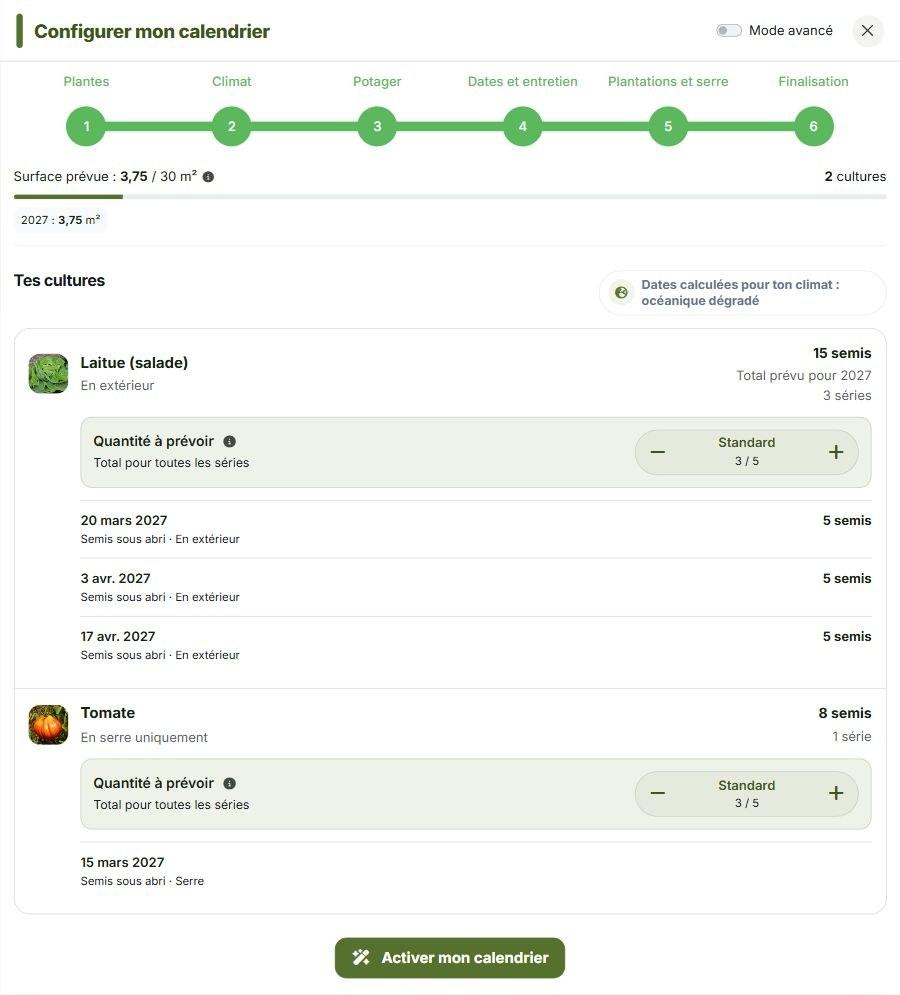
Want more control? Enable Advanced mode at the top of the window, then open the crop you want to adjust. You can examine its series or enter a specific quantity. The control then shows Custom quantity; use Return to automatic calculation to restore the five levels.
A series is a group sown or planted at the same time, together with its follow-up tasks. Three sowings of lettuce spaced over time therefore make three series. It is a more practical way to spread harvests than sowing everything on one day.
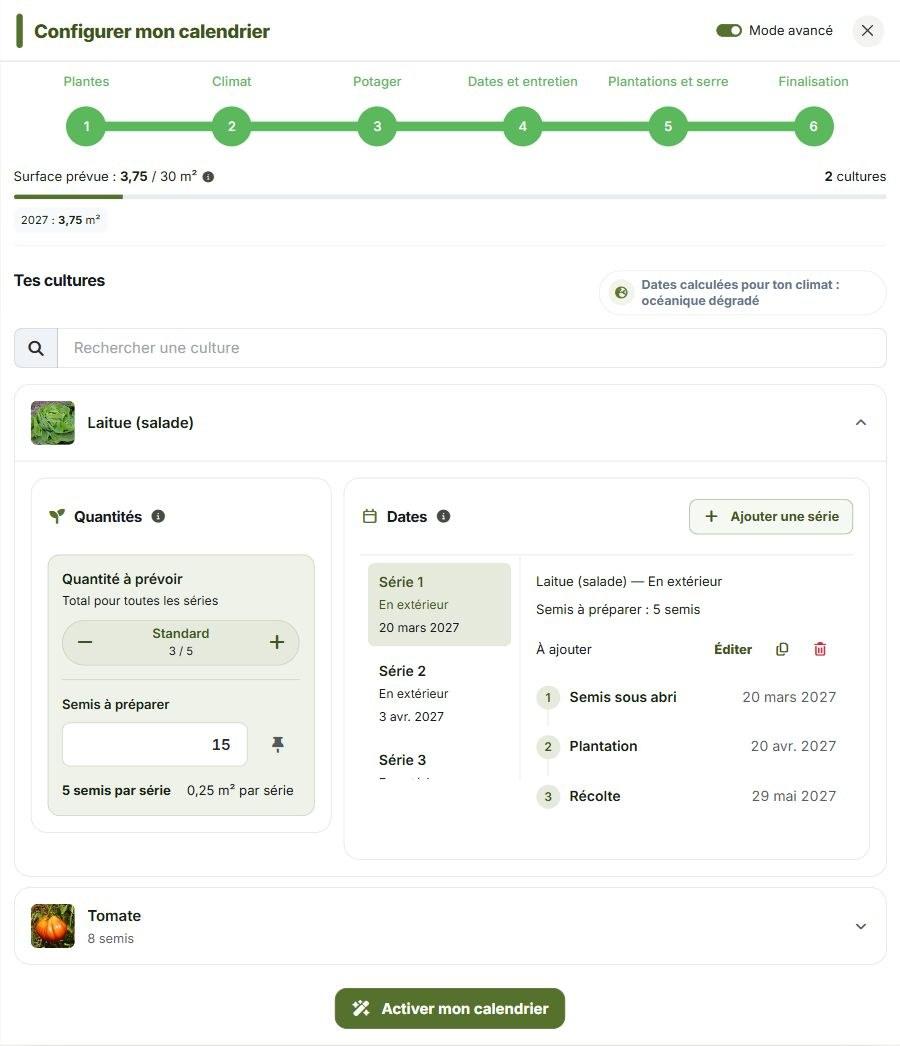
To move a series’ stages in the preview, click Edit, adjust the dates, then click Done. When everything looks right, confirm with Apply changes, or Activate my calendar if this is your first setup.
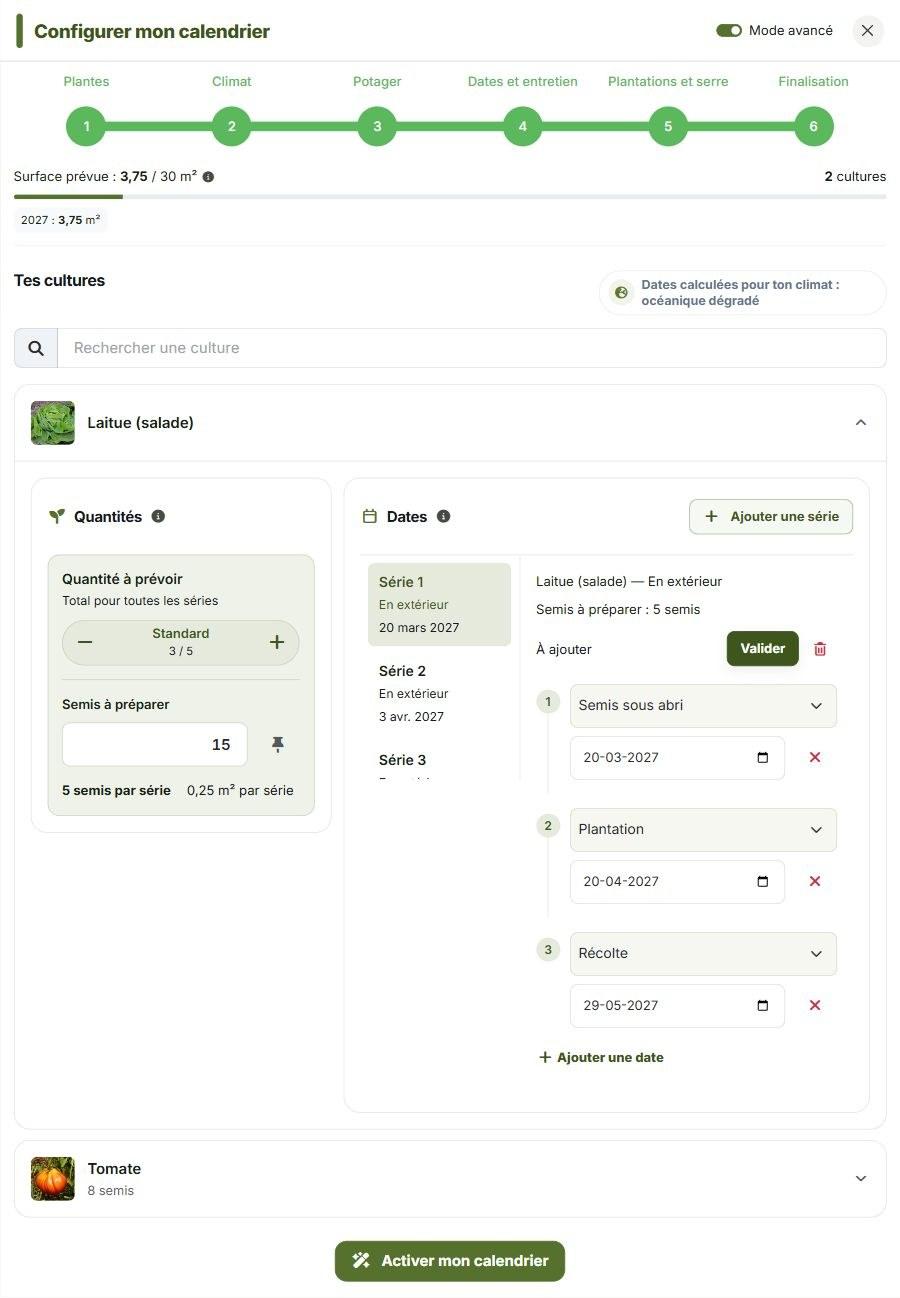
You can return to the settings after creating your calendar and ask for fewer lettuces or more tomatoes. The proposed quantities and series update in the preview. When recalculation is needed, check the series being kept, added or replaced before confirming: the calendar changes after your confirmation, while crops already underway or customised are preserved.
Finding the right sowing as the season progresses
Once you have several series on the calendar, you need to know which one you are looking at. Task details include compact navigation, such as Series 2 of 3, with arrows to move to the previous or next series.
When estimates are enabled, the relevant tasks also show the quantity for that particular job: how much to prepare, sow directly or plant out. The information is there when you need it.
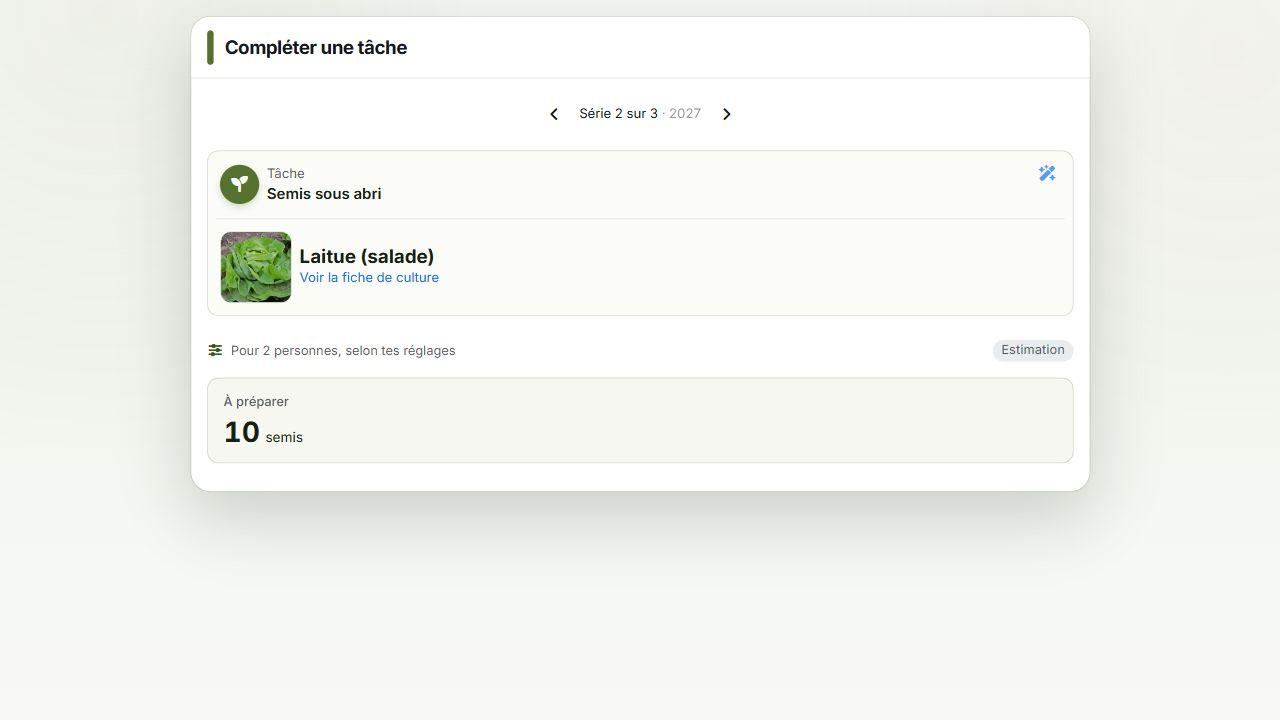
The monthly view also distinguishes more precisely between what needs planning, what is planned and what is finished. When upcoming dates for a new season still need preparing, a prompt lets you return to setup while keeping your existing tasks.
You can explore the Super’pote features if you would like to use quantities, greenhouse growing and guided care tasks. You can also continue preparing your calendar without quantity estimates.
To get started, open your calendar or find your garden in My gardens. Check your plants, climate and available space. You can refine the rest as you discover what you enjoy and observe what happens in your garden.
What do you think?
Have you tried the updated calendar? Tell us in the comments what you like, what feels less practical and what you would still like to improve.
Is there a feature missing that would help you organise your garden? A setting, a reminder, another way to track your crops… Share your ideas, however simple. Your feedback will help us choose what to work on next for Permapotes.
